CLAWBACK / Guides / Depop payout time
When Do You Get Paid on Depop? Payout Dates & Delays
You have made a sale on Depop, shipped the item, and watched the tracking update to Delivered. So where is your money?
The most common point of confusion is that the time Depop makes your sale proceeds available in your Depop Balance and the time the money actually reaches your bank account are two completely different things.
For US sellers using Depop Payments, Depop's published guidance says it sends payment to your Depop Balance 2 business days after the item shows as delivered or 10 business days after the sale, whichever comes first. Only after the funds are Available can you withdraw them, and that bank transfer can then take up to 5 days to appear.
Your exact payout schedule may differ depending on your country, shipping method, and payment arrangement. Account verification, a transaction hold, or a problem with your bank details can also affect your payment. This guide explains when Depop pays sellers, what Pending and Available mean, and what to check if your payout is delayed.
Quick answer: When does Depop pay you?
For US sellers using Depop Payments, Depop's published guidance says payment is sent to your Depop Balance 2 business days after delivery or 10 business days after the sale, whichever comes first. Once the funds are available, you can withdraw them to your connected bank account. Depop says a US bank transfer can take up to 5 days to appear after withdrawal.
| Payout stage | What it means |
|---|---|
| Sale completed | The buyer has paid, but the funds may not yet be available to withdraw. |
| Pending balance | The funds are not yet available for withdrawal. |
| Available balance | The funds are available in your Depop Balance. |
| Withdrawal or payout initiated | The transfer process to your bank has started, depending on your account setup. |
| Money appears in your bank | The funds have reached your bank account. |
How long does Depop take to pay you?
Depop's payout timing varies by country and shipping arrangement. The US, UK, and Australian schedules should not be treated as interchangeable.
US sellers
According to Depop's official US payout guidance:
- Depop sends payment to your Depop Balance 2 business days after the item shows as delivered or 10 business days after the sale, whichever comes first.
- Pending funds are not available to withdraw.
- Once funds become available, you can withdraw them if your account supports withdrawals and the required setup is complete.
- A bank transfer can take up to 5 days to appear after withdrawal.
- You need a valid connected bank account and may be asked to complete additional identity verification.
If your account shows a different payout arrangement, follow the current instructions displayed in Depop.
UK sellers
In the UK, payout timing depends on how the order was shipped. Depop's published UK guidance says:
- Depop Shipping: payment is sent 2 business days after the item shows as delivered or 10 business days after the sale, whichever comes first.
- Manual shipping: payment is sent 10 business days after the order has been delivered.
Depop says funds can take up to 5 days to appear in your bank account after they are sent. Make sure your bank details and identity verification are complete if required.
Australian sellers
Australian sellers should check Depop's current payout guidance for their shipping method and payment arrangement. The payout trigger and expected timing may differ depending on how the order was shipped. Do not automatically apply the US or UK schedule to an Australian account.
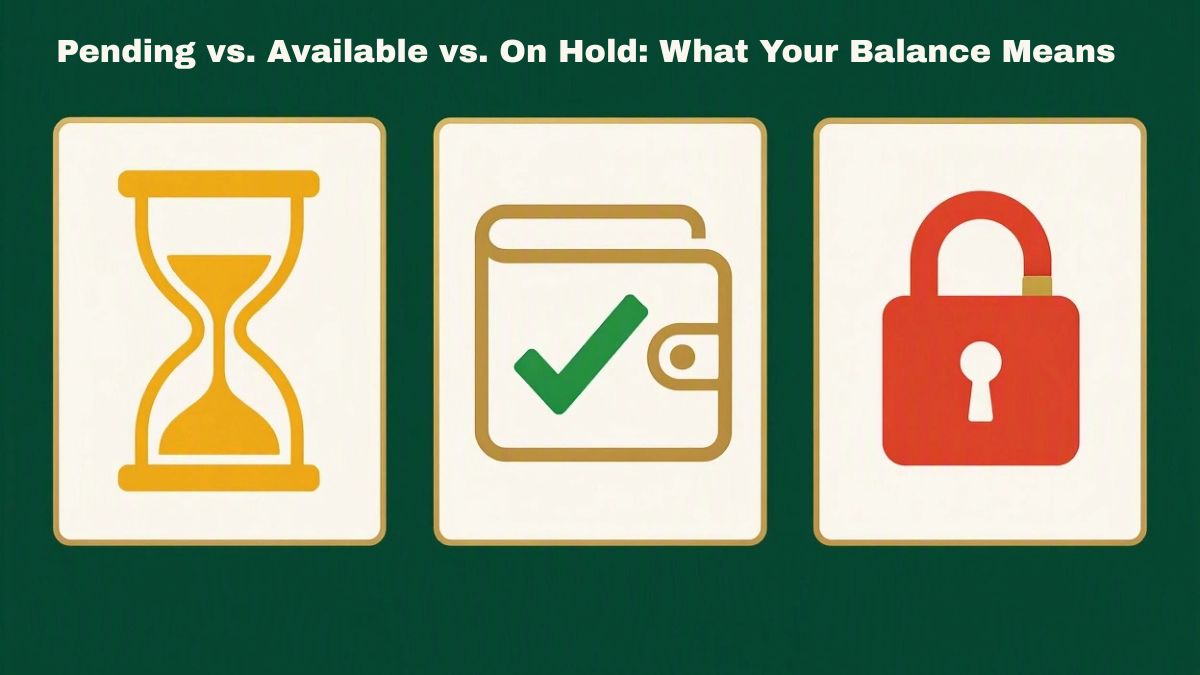
What do Pending and Available mean on Depop?
If you are wondering why Depop has not paid you yet, check your balance status first.
What does Pending mean on Depop?
A Pending balance means your funds are not yet available for withdrawal. The funds may still be waiting for the applicable delivery or payout milestone. Check these things:
- Does the order show as Delivered inside Depop?
- Has the relevant payout period passed?
- Is there a payment notification or identity-verification request?
- Is there a transaction issue affecting the funds?
Do not assume Pending means your money is lost. First check the order details, payment activity, and instructions in your account.
What does Available mean on Depop?
An Available balance means your funds have reached the available stage in your Depop Balance. If the money has not reached your bank, check whether your account requires you to initiate a withdrawal or whether the payout is already scheduled. If a transfer has already started, look at its status and date. Then check your connected bank account and the relevant bank-processing window.
What does On hold mean on Depop?
Depop explains that funds can be placed On hold when a buyer raises an issue with an order. This is different from an ordinary payout delay. Check the notification in your account and follow Depop's instructions for resolving the issue.
What does a negative Depop balance mean?
A negative balance can occur when a refund is issued but there is not enough money in your balance to cover it. Depop explains that a negative balance can affect future payments because new payments may be used to offset the negative amount. If your balance is lower than you expected, review your refund history and balance activity. If you need to understand how fees and refunds affect a sale, read our guide to Depop fees and refunds.
My Depop order says Delivered. Why haven't I been paid?
If your package has arrived but your money has not, work through these checks in order.
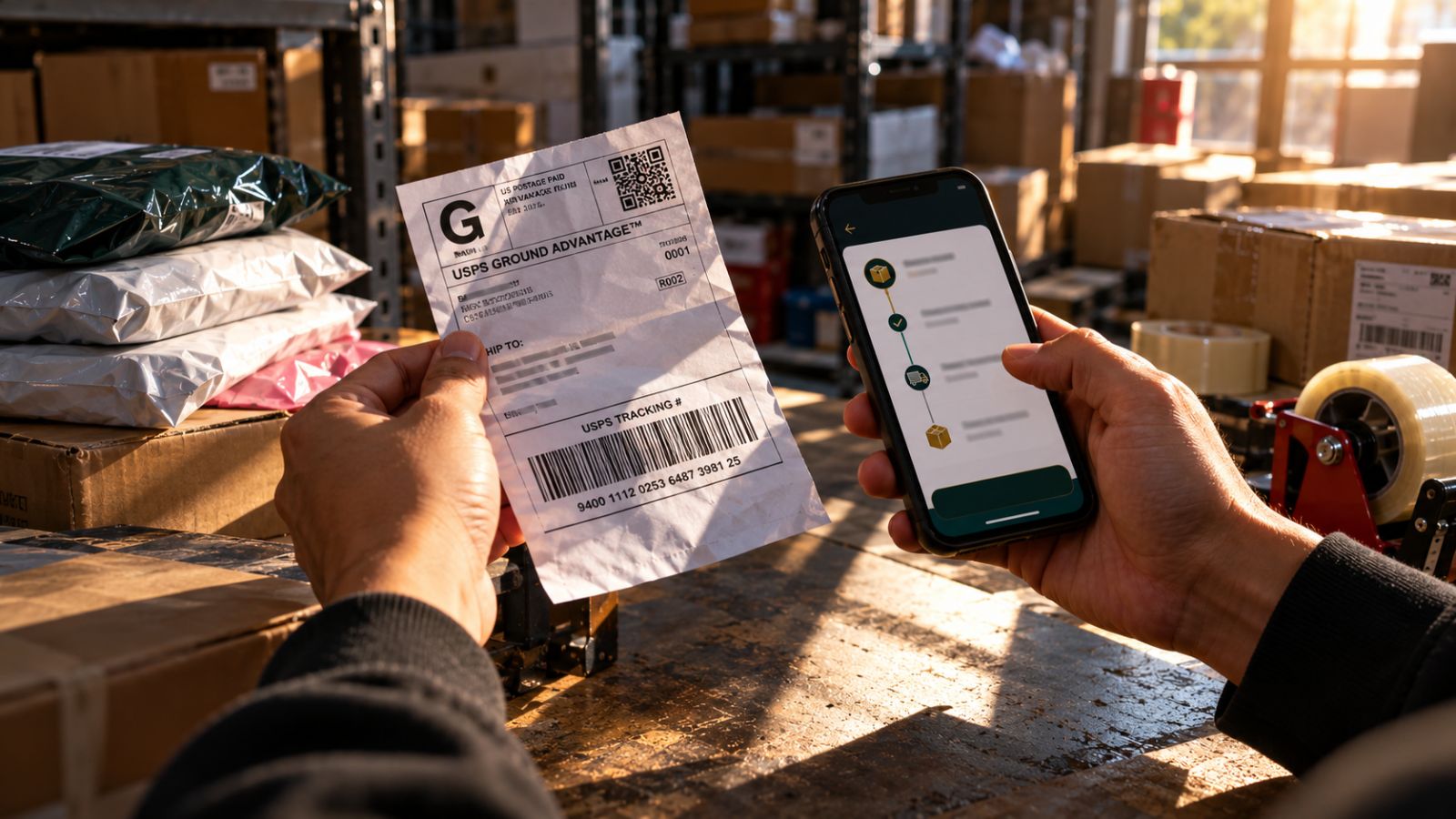
1. Check the order status inside Depop
Start with the order page in Depop, not only the carrier's tracking website. If the carrier shows a delivery scan but Depop does not show the order as delivered, the information used for the payout process may not yet match. Keep your tracking details and follow Depop's current instructions if the two statuses appear inconsistent.
2. Check your balance status
Your balance status helps identify the next step.
- Pending: Check the delivery status, applicable payout schedule, and account notifications.
- Available: Check whether a withdrawal or payout has been initiated.
- On hold: Review the buyer issue or instructions from Depop.
- Negative balance: Review refunds and balance activity.
3. Compare the dates with the correct payout schedule
If Depop specifies business days, do not count every calendar day as a business day. For example, the standard US Depop Payments schedule uses 2 business days after delivery or 10 business days after the sale, whichever comes first. Check the rules that apply to your account before deciding that your payment is overdue.
4. Check your bank details and verification status
Depop may require a valid connected bank account and identity verification before you can withdraw money. Check if the correct bank account is connected, if your details match the information requested by Depop, and if there is an error or notification in your payment settings.
5. Contact Depop if the issue remains unresolved
If the applicable payout period has passed and your account details appear correct, follow Depop's official support guidance. When contacting support, include the order details, tracking information, your balance status, the expected payout information, and any error message.
How long does a Depop bank withdrawal take?
For US sellers, Depop says a bank transfer can take up to 5 days to appear after withdrawal. That period is separate from the time it takes for sale proceeds to become available in your Depop Balance.
For example, your funds might already be Available while the bank transfer is still processing. In that situation, repeatedly checking the delivery status will not tell you much. Check the withdrawal or payout status instead. If the applicable bank-arrival window has passed, or the transfer is marked as failed, review the transaction details and follow Depop's support instructions.
Why won't Depop let me withdraw my money?
If Depop will not let you withdraw your funds, first confirm that your balance is Available and check whether your account supports manual withdrawals. Then review these possible causes:
- Your balance is still Pending: Check the delivery status, applicable payout timeline, and account notifications.
- Your bank account is missing or incorrect: Review your payment settings and correct any details that are wrong.
- Your identity verification is incomplete: Follow the request shown in your account.
- Your balance is negative: Review your refund and balance history.
- Your withdrawal has failed: Open the payment or withdrawal details and read the error message. Incorrect bank details or a restricted account may prevent a transfer.
Does Depop pay on weekends?
Depop uses business-day timelines for several payout arrangements. When a payout period is expressed in business days, Saturday and Sunday should not automatically be counted as business days. However, that does not establish a universal rule that every payout stops over a weekend or that every payment delayed over a weekend will arrive on Monday.
There are two separate questions:
- When does Depop release your sale proceeds under the schedule that applies to your account?
- After the money is sent, when will your bank display it?
A weekend or bank holiday can affect your estimate of a business-day window or bank processing. It does not, by itself, prove that your payout is overdue or that something is wrong with your account. If your main question is about Saturdays, Sundays, bank holidays, or an expected payout date that keeps changing, read our focused guide: Does Depop Pay on Weekends? What Sellers Should Know.
Can a refund affect my Depop Balance or the money I keep?
Yes. A refund can affect the amount remaining in your balance. If a refund is issued when your balance is too low to cover it, you may end up with a negative balance. But there are two different questions to consider:
- Why has my payment not arrived? Check your balance status, payout schedule, account setup, and transfer details.
- Has this refund or return cost me money? Check the refund, fee treatment, shipping expenses, and condition of the returned item.
Depop's official seller-fees policy says that when a sale is refunded, selling fees, payment-processing fees, and boosting fees are reversed. For Depop Payments, this happens automatically. Sellers outside the UK, US, and Australia who use PayPal must contact Depop Support to request a refund of the Depop selling fee. Even if applicable fees are reversed, you may still want to check other costs associated with the return, such as return shipping or a drop in resale value.
If you are unsure whether a return or refund has left you out of pocket, it may help to calculate the financial impact instead of relying on the refund amount alone. Use the free CLAWBACK return-loss calculator to examine return-related costs and potential losses for your transaction. For a broader explanation of charges, see Depop fees explained.
Where is your Depop payout stuck?
Use this checklist to identify the next step. It is a troubleshooting guide, not an official Depop tool.
| What you see | What to check next |
|---|---|
| Pending + order not delivered | Check tracking and the payout schedule for your account. |
| Pending + order delivered | Check Depop's delivery status, the applicable payout window, and account notifications. |
| Available + no transfer initiated | Check whether your account requires you to withdraw the funds. |
| Transfer already initiated | Check the transfer date, status, bank details, and processing window. |
| On hold | Review the buyer issue or account instructions from Depop. |
| Negative balance | Review refunds and balance activity. |
| Verification request or error | Follow the instructions in your payment settings. |
Frequently asked questions
When do you get paid on Depop?
For US sellers using Depop Payments, Depop's published schedule says sale proceeds are sent to Depop Balance 2 business days after delivery or 10 business days after the sale, whichever comes first. The bank transfer can take up to 5 days after withdrawal. Other countries and shipping arrangements may follow different schedules.
How long does Depop take to pay you after delivery?
For US sellers using Depop Payments, the published schedule is 2 business days after the order shows as delivered or 10 business days after the sale, whichever comes first. Check the schedule that applies to your account and whether Depop itself shows the order as delivered.
Why hasn't Depop paid me yet?
First check your Depop Balance status. If it is Pending, review delivery status, the applicable payout timeline, and account notifications. If it is Available, check whether a withdrawal or payout has been initiated. Also check for verification requests, incorrect bank details, holds, or a negative balance.
Why is my Depop payout still Pending after delivery?
Check whether the order is marked as delivered inside Depop, not just on the carrier's tracking page. Compare the dates with the payout schedule for your country and shipping method, then review any payment or verification notices in your account.
How long does a Depop bank transfer take?
Depop's published US guidance says a bank transfer can take up to 5 days to appear after withdrawal. This is separate from the time it takes for sale proceeds to become available in Depop Balance. Check the transfer status and connected bank details if the money has not arrived.
Why can't I withdraw my Depop money?
Confirm that your balance is Available and check whether your account supports manual withdrawals. Review your bank details, identity-verification status, balance activity, and any error message or account notice.
Does Depop pay on weekends?
Depop uses business-day timelines for several payout arrangements, and weekends or bank holidays can affect timing. The exact result depends on the applicable payout schedule and bank processing. See our Depop weekend payout guide for more detail.
What does Available balance mean on Depop?
An Available balance means the funds are available in your Depop Balance. It does not necessarily mean the money has reached your bank. Check whether a withdrawal or payout has started, then review the transfer status and expected bank-processing window.
Can a negative Depop balance affect my payout?
Yes. A negative balance can reduce the amount available to you because new payments may be used to offset the negative amount. Review your balance activity and refund history to understand why the balance is negative.
When should I contact Depop about a delayed payout?
Check the applicable payout window, delivery status, balance status, bank details, verification requirements, and any payment error first. If the relevant period has passed or an unresolved account issue remains, follow Depop's official support instructions.
Cite This Page
MLA: "When Does Depop Pay You? Dates, Delays & What to Do." CLAWBACK, Oct. 2026, www.gotclawback.com/depop-payout-time.html.
APA: CLAWBACK. (2026, October). When Does Depop Pay You? Dates, Delays & What to Do. https://www.gotclawback.com/depop-payout-time.html
Read next: More help for Depop sellers
Official Depop sources
Use the current official guidance for the country and payment arrangement that applies to your account. If a link has moved, use the official Depop Help Centre to find the current version.
The takeaway
When you are waiting for a Depop payout, first identify where the money is in the process. If it is Pending, check delivery status, the applicable payout schedule, and account notices. If it is Available, check whether a withdrawal or payout has been initiated. If a transfer has been sent, check the bank-arrival window and transaction status.
You do not need to guess at the reason for every delay. Start with the balance status, check the rules that apply to your account, and take the next step based on what you find.
Disclaimer
CLAWBACK is an independent resource for resellers. It is not affiliated with, endorsed by, or sponsored by Depop. Depop's current official guidance and the payment information shown in your account take precedence over this general article.